A semantic layer that anyone can change, and any model can read in full, isn’t governance. Terazu draws the lines in four places: what each person may do, who may ask about each definition, what the assistant may use, and what an AI tool outside Terazu may see.
Five roles
- Owner and admin run the workspace: members, the assistant’s tools, the certification policy, and who may see what.
- Editor builds and certifies definitions, and can read live data through the agent.
- Viewer is the newcomer on the data team: reads the whole contract, asks the chat and gets certified numbers, reads rows and runs checks through the agent, and can’t change or certify anything.
- Consumer is a narrow door kept for published answers: no console, no assistant, no raw tables. Terazu is built for the data team, so nothing new is built behind it.
Signing in, and leaving
A packaged install has sign-in on by default. Single sign-on goes through your identity provider (OIDC), with its MFA; password accounts use an authenticator-app code. With SCIM, your directory makes, changes and ends accounts itself, and its groups map to roles. When someone leaves, they’re offboarded in the console: their role changed, deactivated or removed, and their sessions ended. Keys expire, idle sessions end, and a lockout survives a restart.
Certifying is for people
Certifying takes the right role and a person. A service account that tries is refused, and the attempt is recorded. The assistant can’t certify either: the tools aren’t offered to it, and a call that slipped through would be refused and recorded too.
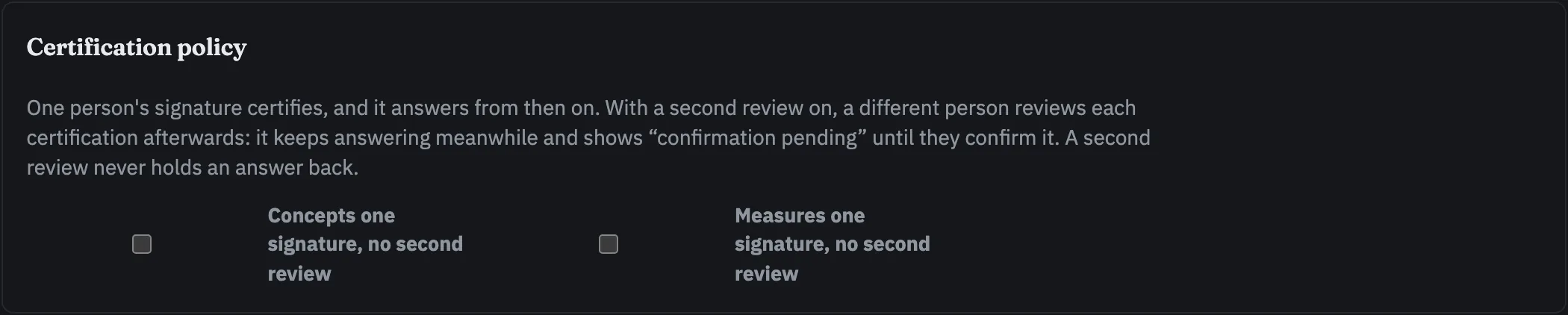
One signature certifies. A workspace that wants a second pair of eyes can ask a different person to confirm Concepts or Measures. The record answers as soon as it is certified, and shows “confirmation pending” until someone else confirms it. The person who certified it can’t confirm it.
Some acts are a person’s alone, whatever the tools: certifying and confirming, declaring an owner, and turning on query history for a connection. The assistant is refused all of them.
Who may ask, per definition
Every meaning and every Measure can name the roles that may ask about it. Leave it empty and everyone who may ask anything can ask. Someone outside the list gets a refusal that names what was withheld and why, never a different number from somewhere else. Owners and admins are never shut out, and narrowing the audience doesn’t touch the certification.
The assistant works as you
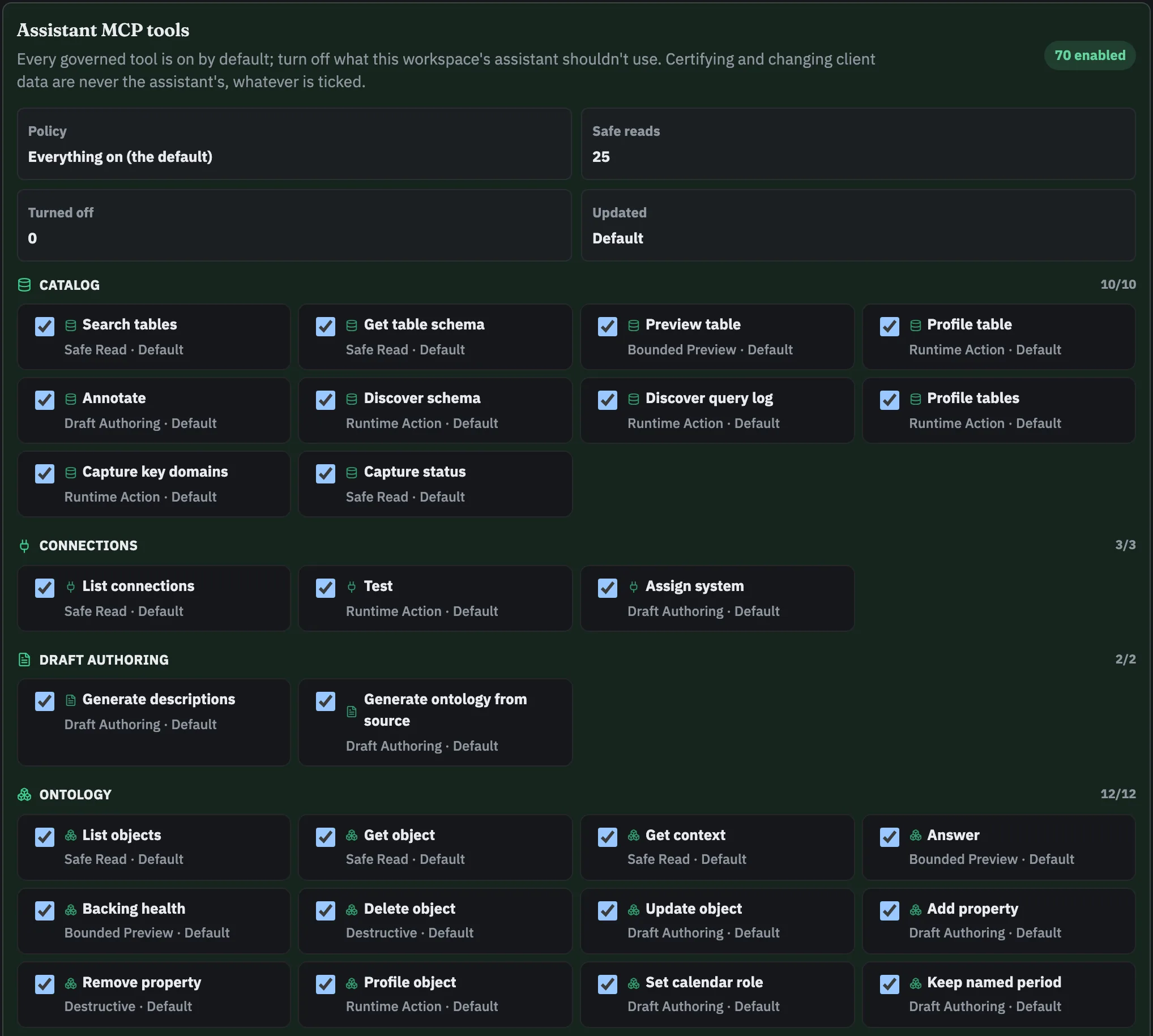
Every call the assistant makes carries the identity of the person asking, so it can never read or do more than they can, and it’s offered only the tools that person’s role may use. Anything that would change something waits as a card in the chat until the person approves it. On top of that, owners and admins choose which tools the assistant may use at all, grouped by risk: safe reads, bounded previews, drafting, actions that run on your systems, and destructive edits to the contract. Tools that would write to your databases are off for everyone, whatever the settings.
Assistants outside Terazu
Claude Code, GitHub Copilot, Cursor and any other MCP client connect through a governed door, with an AI-client key an owner or admin creates. They see shape, not content: names, types, keys, lineage and counts, never a row, a cell value or a business figure. Asked a question, they get how it was read, any refusal with its reason, and a link to the receipt; the figure opens for the person who opens the link, never the model. An owner can let figures through for Measures that are Public all the way down; that setting is off by default.
SQL leaves with its literals replaced by stand-ins, and a floor masks ID numbers, IBANs, cards, emails, mobiles and credentials. Engineers’ agents build through the same door: table shapes, joins and lineage, and checks that return counts and pass or fail on a connection an owner names, never rows. Every outside call is recorded, and you can run the leak test yourself. An outside client can’t certify or change anything.
What is recorded
The audit trail keeps every tool call the assistant makes and every refusal, every call from a service account or an outside AI client, every denied request from a person, each governed question, previews and downloads, changes to members, keys and the tool list, every certification and confirmation, and every time query history is turned on or off for a connection. It can be exported or streamed to your SIEM, it’s kept for at least 12 months, it’s tamper-evident, and there’s an access review.
What is still coming
- SAML. Single sign-on goes through OIDC today; SAML waits for a buyer who needs it.
And two things to know: a program calling with an API key has no role, so audiences don’t apply to it (govern it through what its key allows), and a person’s ordinary reads aren’t written to the audit trail; their denials, previews and downloads are.